The read-later app you actually read.
Everything you save lands in one clean reader. Summaries are there for when the pile gets long, and any article can be read aloud while you're on the move. Highlights come back before you forget them.
Free plan, no credit card · Pro from $3.33 a month


Pocket shut down in July 2025. Your reading list doesn’t have to go with it.
Export it as a CSV and upload it. Titles, covers, authors and the dates you saved things all come across, and archived items stay archived.
Instapaper, Raindrop, Readwise Reader and Matter exports work the same way. So does any CSV with a URL column.
Three steps. No system to maintain.
- Step 01
Capture
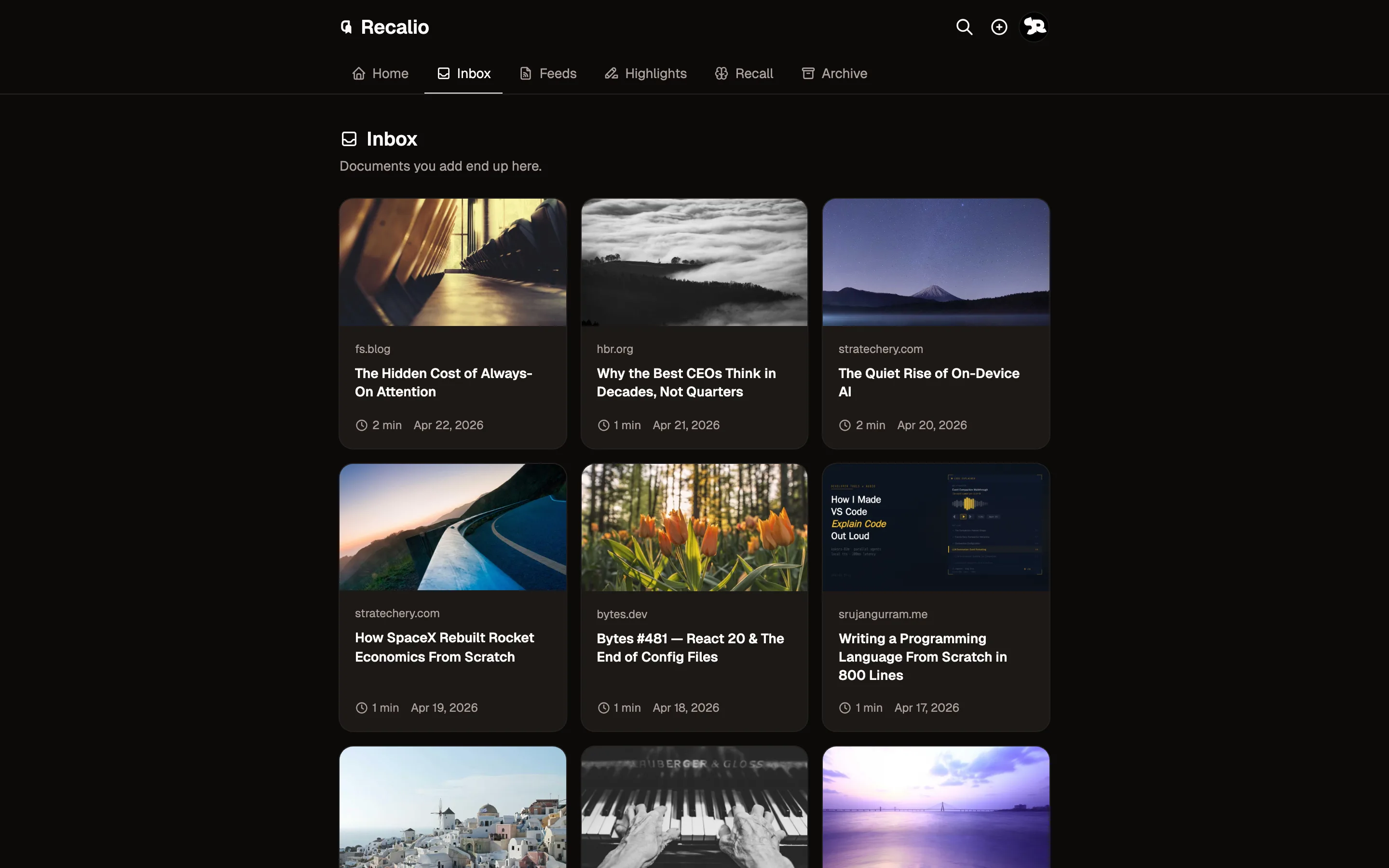
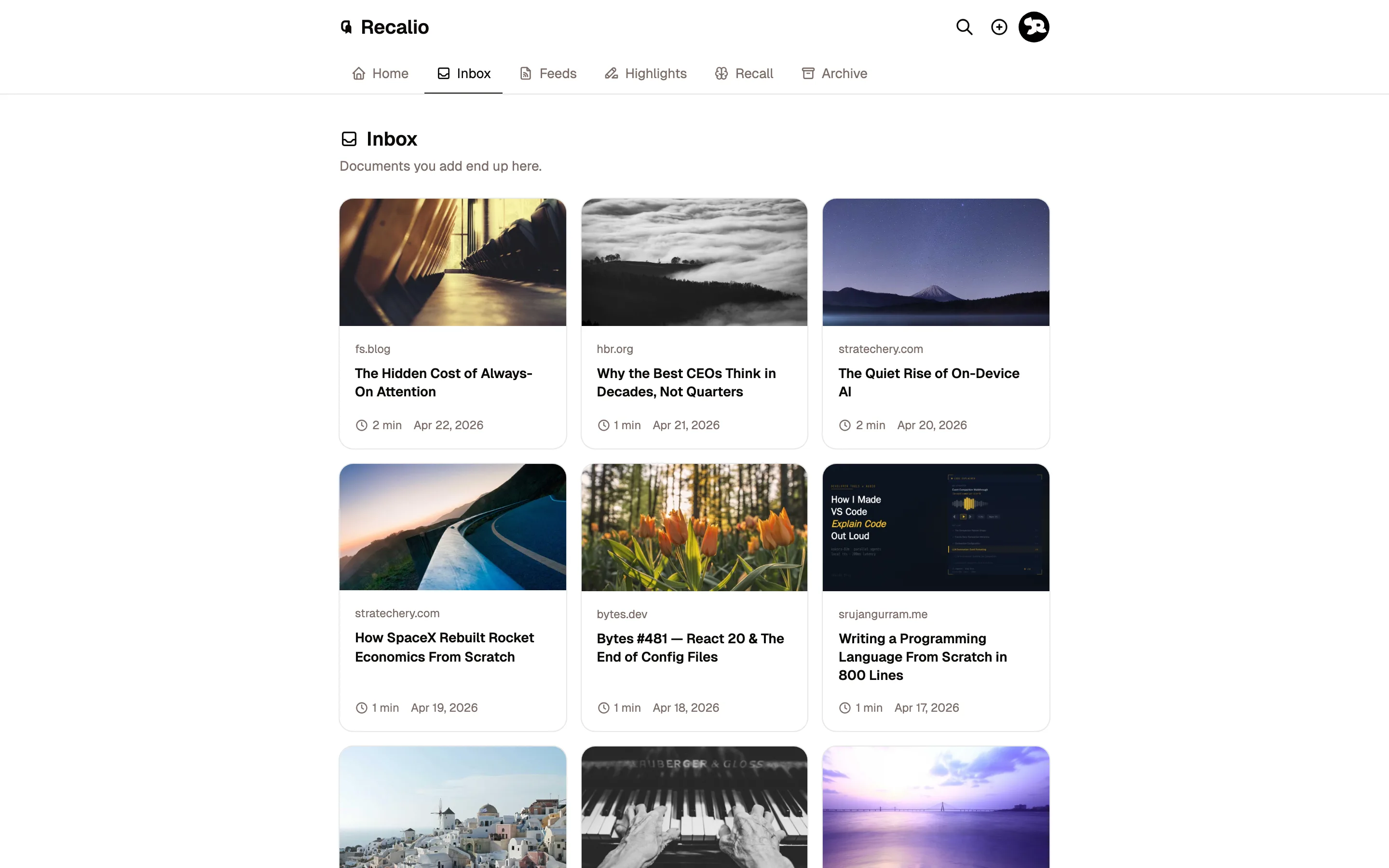
Paste a link, forward a newsletter, subscribe to a feed, upload a PDF. Everything ends up in the same reader.
-
 Step 02
Read
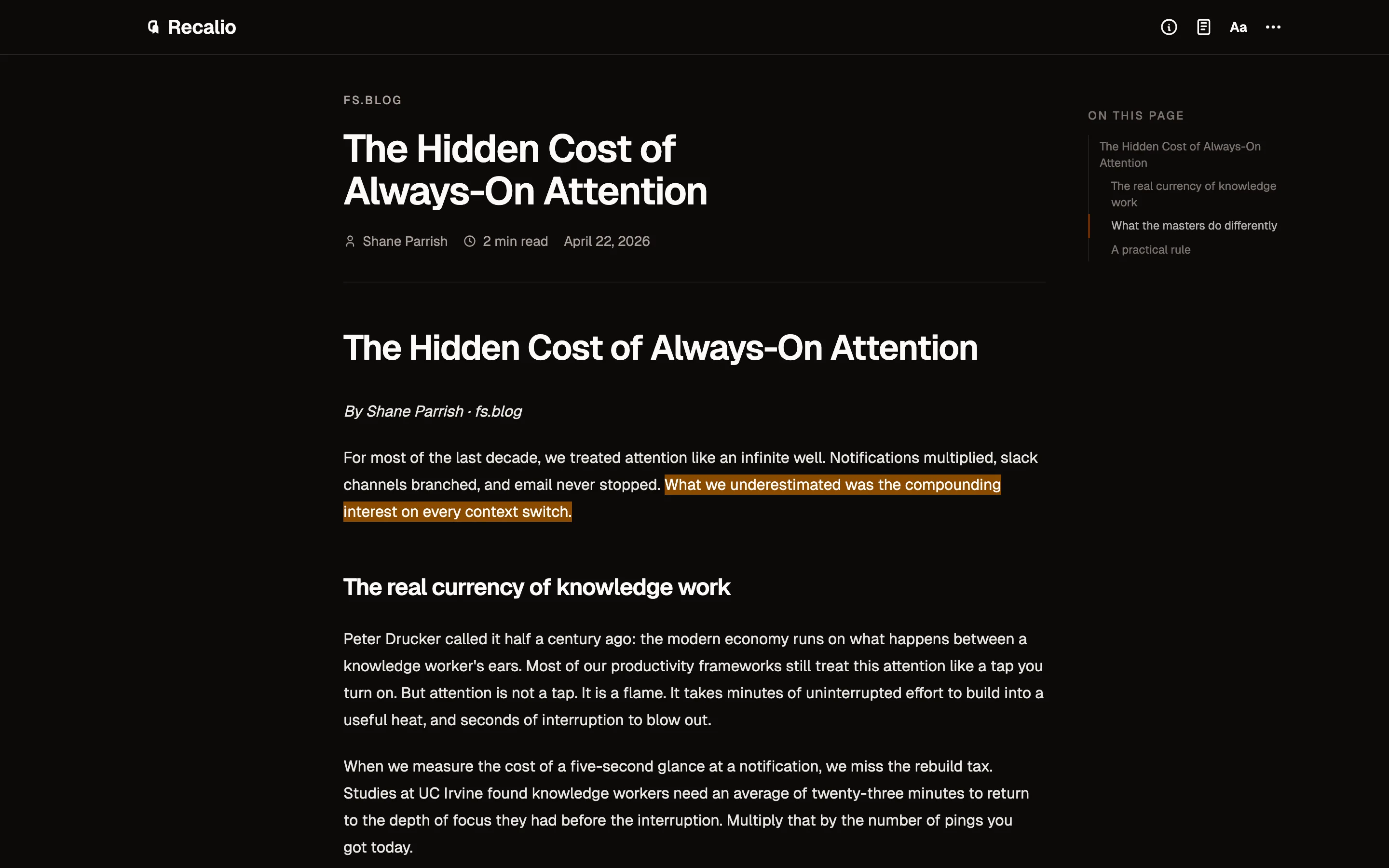
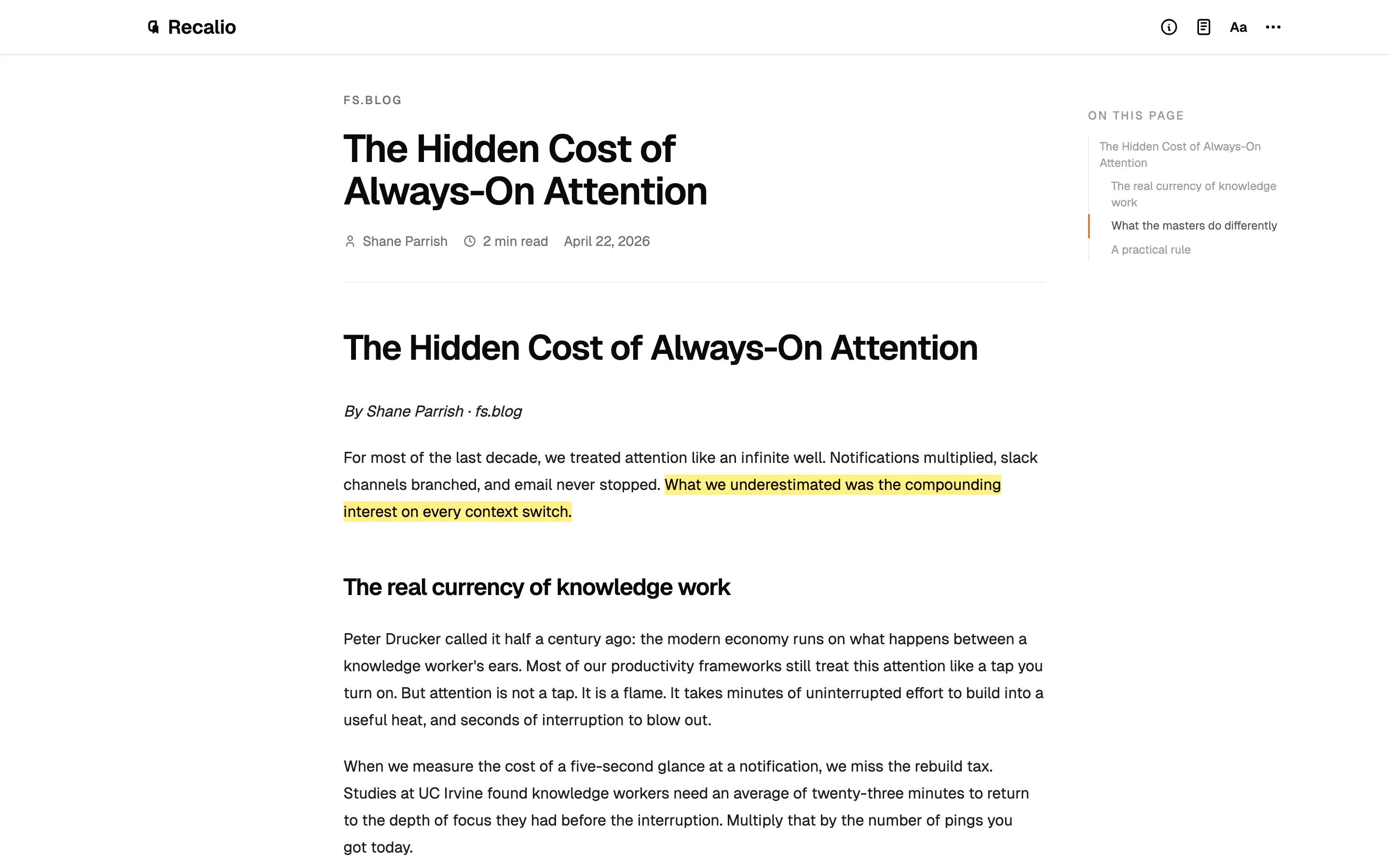
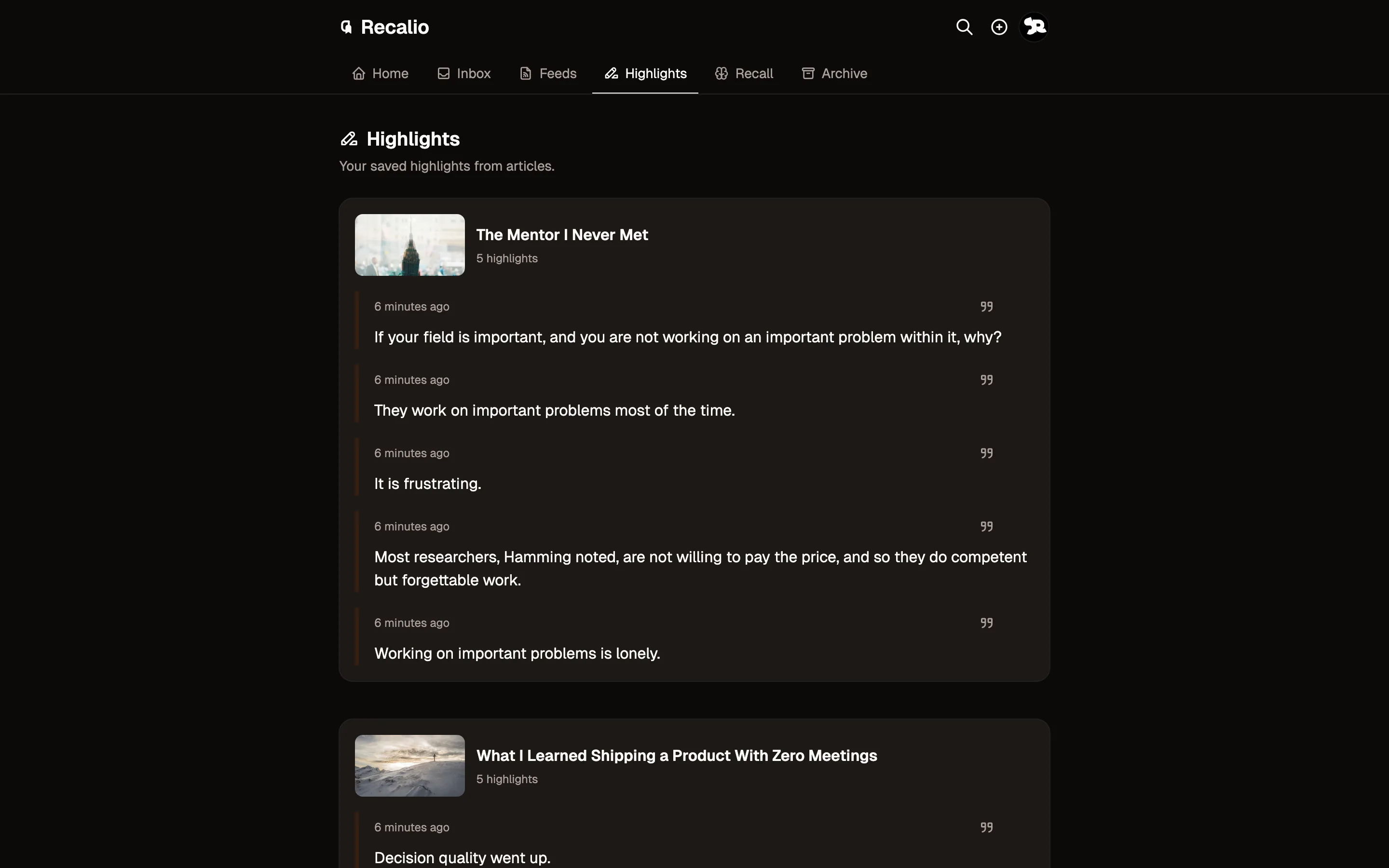
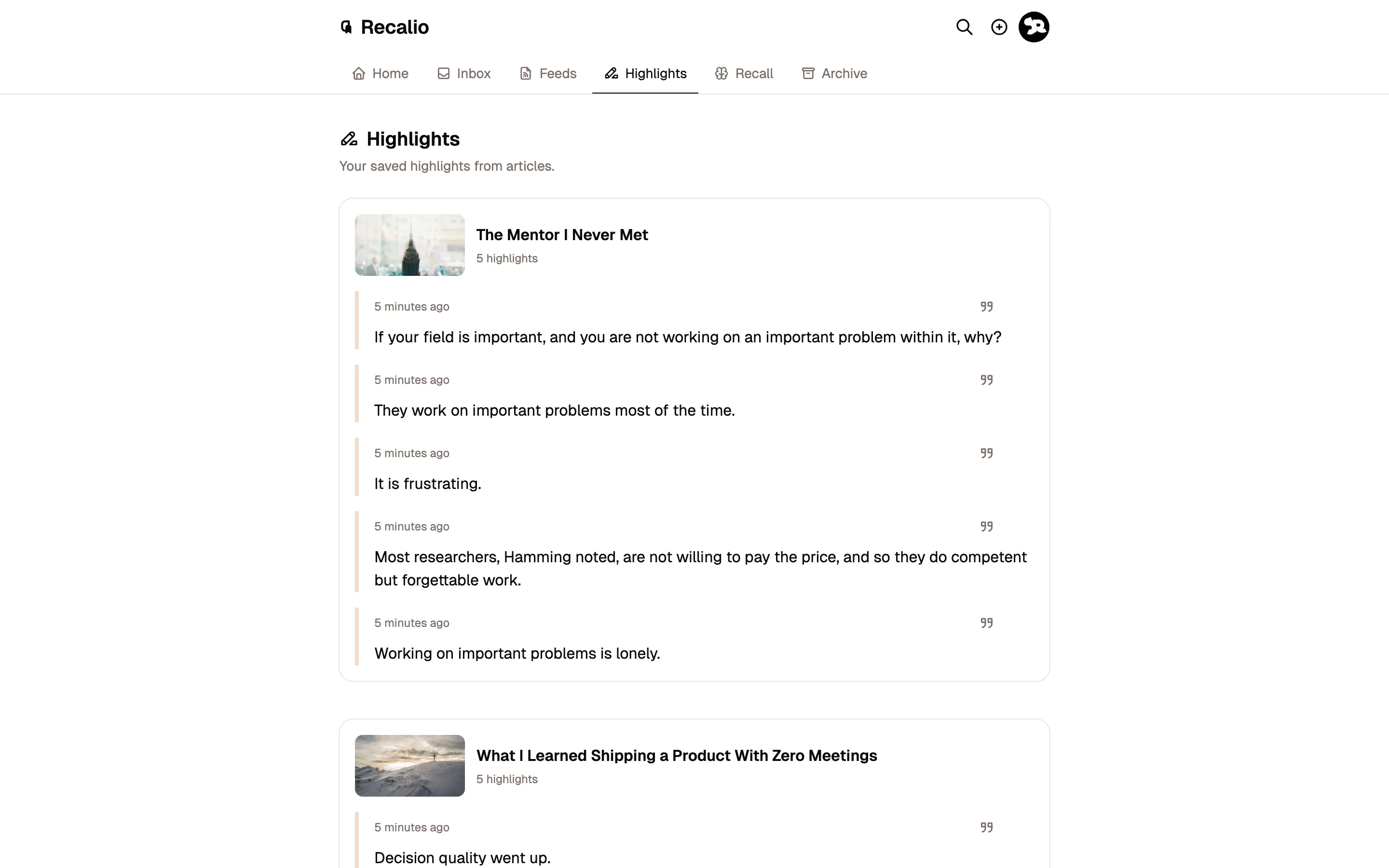
Read it your way, then tap once for suggested highlights. Reading is the point; highlighting is the easy part.
- Step 03
Recall
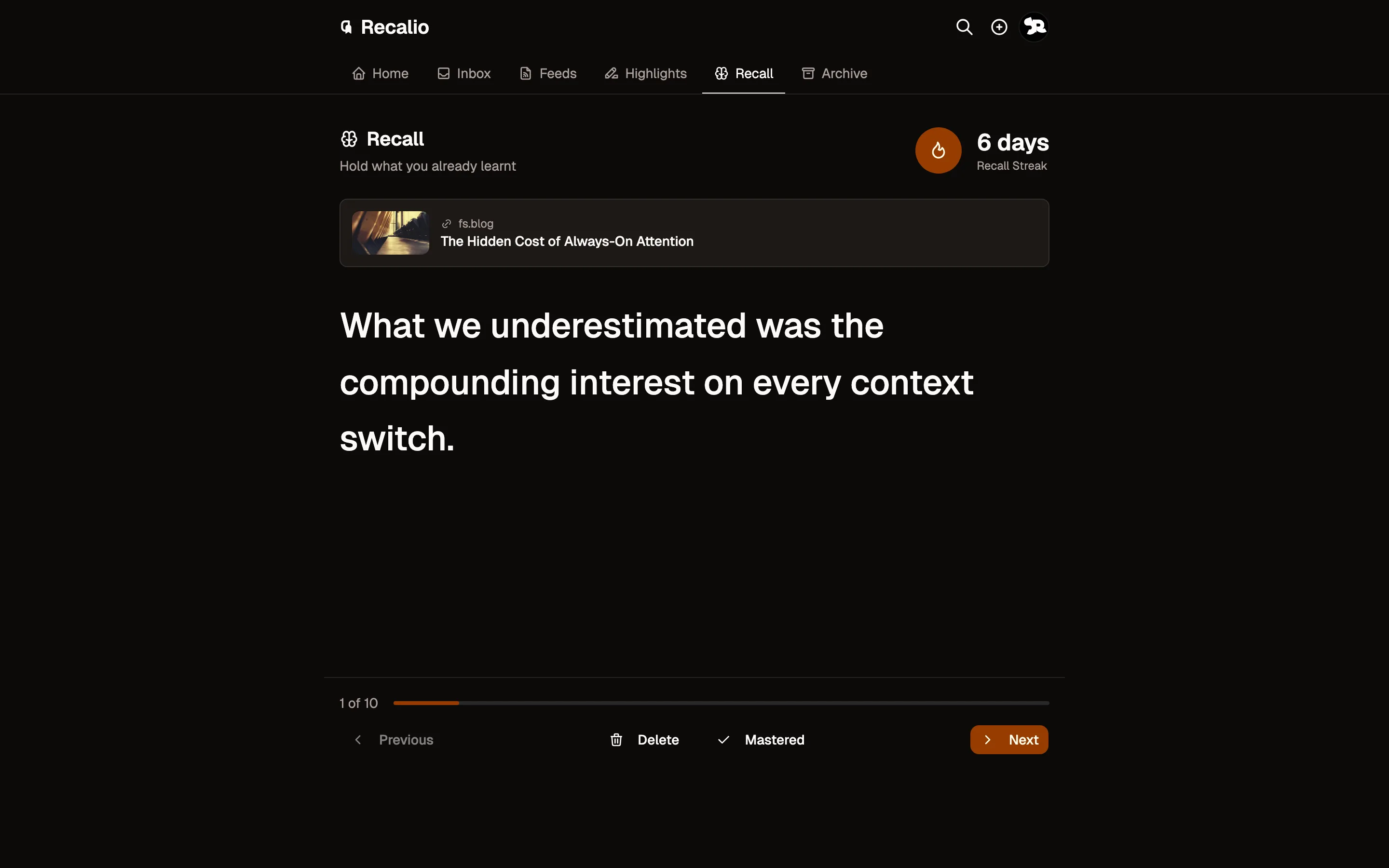
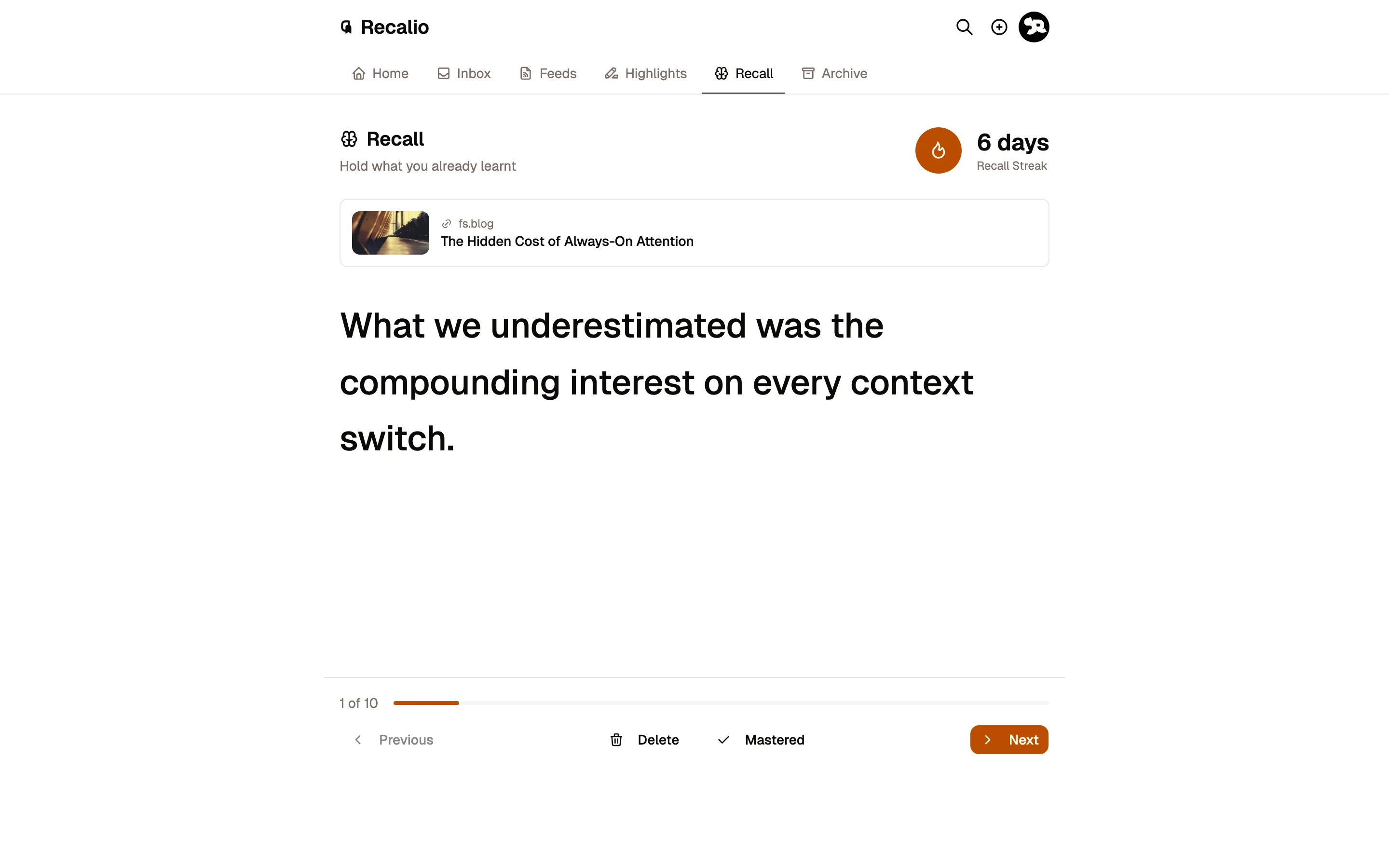
A five-minute session each day brings old highlights back at spaced intervals, timed for just before you'd forget them.
Eight ways in.
There are eight ways to get something into Recalio, and they're all free. Whichever you use, it ends up in the same reader.
-
Newsletters, by email
DiscoverA private address to subscribe and forward to. Senders you haven't approved wait in Discover until you switch on Auto Inbox.
How newsletters work -
Paste a link
InboxAny URL goes straight into the reader, with dedicated parsers for X, YouTube, Reddit, Instagram, Threads, Facebook, GitHub READMEs, and Wikipedia.
-
The browser extension
InboxOne click saves the fully rendered page, JavaScript-heavy sites included. Chrome today.
Get it for Chrome -
Your phone's share sheet
InboxShare any link from your phone and Recalio appears as a destination. iPhone and Mac also get a Save to Recalio shortcut.
-
Blogs and RSS
DiscoverPaste a feed link and new posts wait in Discover until you approve them. An OPML file brings a whole reader over at once.
-
Files you already have
InboxPDF, Word and Markdown files up to 25 MB, read with the same type, themes and highlights as everything else.
-
Your old reading list
InboxPocket, Instapaper, Raindrop, Readwise Reader, Matter, or any CSV with a URL column. Archived items stay archived.
-
Assistants and scripts
InboxThe hosted MCP endpoint, or a scoped API key, lets an assistant file links into your library. It can save and annotate, never delete.
Agents and API
Inbox is what you chose to read. Discover is what your subscriptions brought in, kept until you approve it. Archive is what you're done with, still searchable by title, link, or sender. One ⌘K search covers everything, filterable by read state, sender, or domain. Nothing reaches your reading queue unless you put it there.
Built for people with too much to read.
Highlight the good parts with one tap.
Tap Auto-Mark and the passages worth keeping are highlighted in place. Every article gets a short summary, and anything can be read aloud. All three come with Pro.
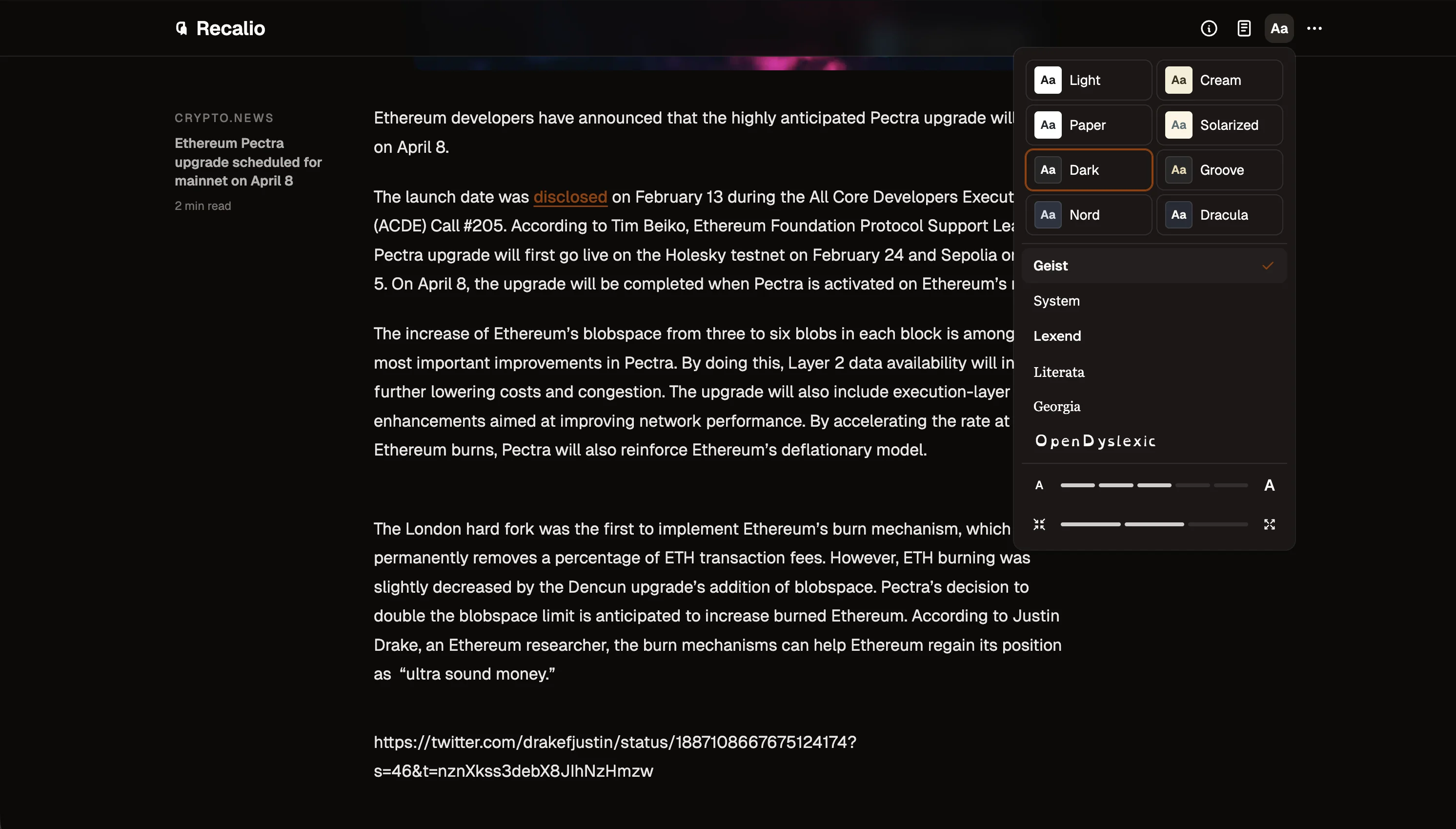
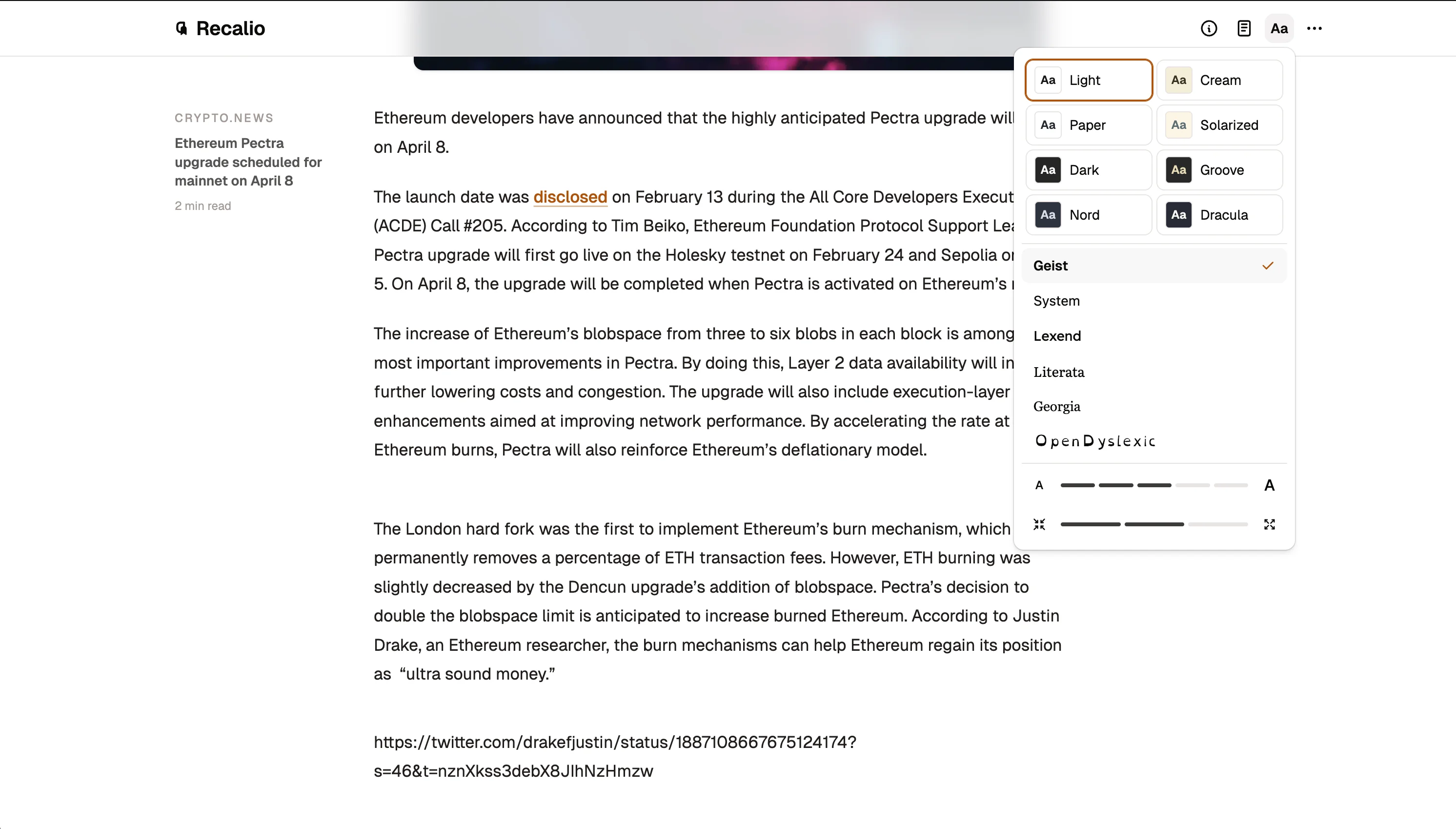
Typography you can live with.
Sixteen themes from daylight-warm to night-dark, plus a table of contents that follows along.
- Readable line length, always
- Notes anchored to the passage they came from
- Six fonts, including OpenDyslexic
Every highlight, on a schedule.
Ebbinghaus measured it in 1885: about two-thirds of new material is gone within a day. Recalio brings highlights back at growing intervals, right before they fade. Spacing reviews is one of the most replicated findings in learning research.
- Takes about five minutes a day
- Streaks grow when you finish a session
- Cards you've mastered stop coming back
Ask your AI about your library.
Your assistant can search everything you've saved and answer with quotes pulled straight from your library.
Ask about something you've saved, have it file a link, or leave a note from your AI app. Deletion only happens inside Recalio.
- Searches and cites your library
- Can save links and notes
- Can't delete anything
What have I saved about vector databases?
Two things in your library agree: reach for Postgres before a dedicated store:
Postgres with a decent index carries you further than teams expect.
Similarity is a property of the embedding, not of the store.
Save the pgvector docs for later.
Free to read. Pro is $4 while we're new.
Saving, reading, highlighting and daily recall are free, with no cap on saves. Pro adds the AI work: summaries, Auto-Mark and read-aloud. Lock in $4 a month or $40 a year while we're new; that rate stays yours while your subscription runs.
Keep this rate while your subscription stays active.
$3.33 / month · Save 33% · Keep this rate while your subscription stays active.
Save $80 · One payment. Every Pro feature, forever.
- AI summaries
- Listen anywhere
- Auto-Mark
- Enhanced article parsing
Questions.
What do I get without paying?
Unlimited saves of articles, newsletters, feeds, and files, plus the reader, highlights and notes, and daily recall sessions. Pro adds the AI work: summaries, Auto-Mark, read-aloud, and enhanced parsing.
Is there a mobile app?
Recalio installs to your home screen from any mobile browser and behaves like an app. Saving works through your phone's share sheet. Native iOS and Android apps are in development.
I used Pocket. How do I move my library over?
Export your Pocket list as a CSV and upload it under Settings → Reading-list CSV. Archived items stay archived; tags, notes, and old highlights don't come across. Feeds move separately, via OPML import.
What about Instapaper, Raindrop, or Readwise Reader?
The same importer handles them, plus Matter and any CSV with a URL column. Archived items stay archived there too.
What does the AI do with my articles?
On Pro, Recalio writes summaries, suggests passages worth highlighting, and powers text-to-speech. Connected AI assistants can search your library, save links, and update notes or reading status, but they cannot delete anything.
Does the AI train on what I save?
No. Article text goes to third-party AI providers only to generate summaries and suggested highlights, and they're contractually prohibited from training models on your content. We don't sell data or build advertising profiles.
What exactly is a recall session?
A short daily review of your highlights. They come back one at a time at growing intervals, and you mark learned ones as mastered so they stop appearing. Most people finish in about five minutes.
Can I get my notes and highlights out?
Yes. The annotations panel exports a document's title, note, highlights, and highlight notes. For a copy of everything in your account, write to privacy@recalio.com.
What happens if I stop paying Pro?
Nothing is deleted. Your library, highlights, and recall history stay exactly where they are; the AI features simply switch off until you resume.
Start with whatever's open in your tabs.
Signing up takes about a minute and there's no waitlist. Paste a link, forward a newsletter, or bring your feeds over.
Free plan, no credit card · Pro from $3.33 a month